
Download Professional Agenda – Appointment Scheduling, Client Management, Expense Tracking
Overview
Professional Agenda is a mobile application designed to streamline the management of appointments, client interactions, and financial tracking for professionals across various service-based industries. Its core purpose lies in reducing administrative burden by offering a centralized platform where users can organize their schedules, manage client data, and monitor business finances—all within a single interface. The app addresses common pain points such as double-booking, missed appointments, poor client communication, and fragmented financial records.
Target users include freelancers, consultants, therapists, coaches, and small business owners who rely on consistent client engagement and accurate financial oversight. By enabling clients to book appointments based on the professional’s available time slots, the app enhances convenience and reduces back-and-forth communication. This self-scheduling feature supports a more professional and efficient workflow, especially for those managing multiple clients across different time zones.
Real-world use cases include a life coach scheduling weekly sessions, a therapist tracking client attendance and payments, or a personal trainer managing client workout histories and expenses. The app contributes to a more organized, transparent, and scalable service delivery model. Although the developer did not provide additional technical details, the inclusion of automated notifications, expense tracking, and a client wallet system suggests a focus on operational efficiency and client trust.
Key Features & Functionality
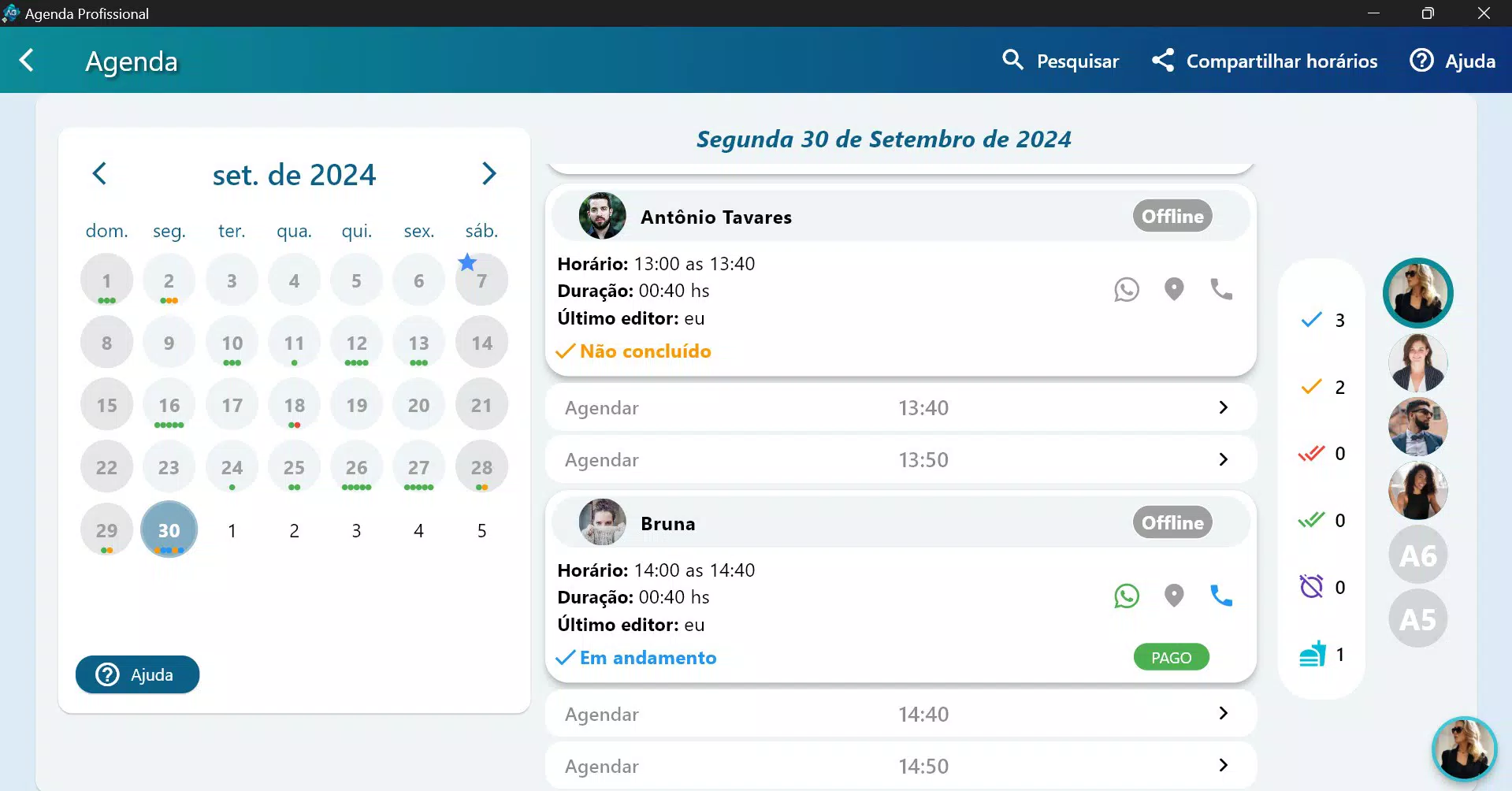
Professional Agenda integrates several practical tools tailored to service-based professionals seeking to optimize their daily operations. The 24/7 Online Scheduling system allows users to define specific availability windows, ensuring appointments are only booked during preferred hours. This feature prevents scheduling conflicts and supports better time management, especially for professionals with fluctuating workloads.
- Customizable Availability – Set working days and hours, block specific times, and apply different rules for various services.
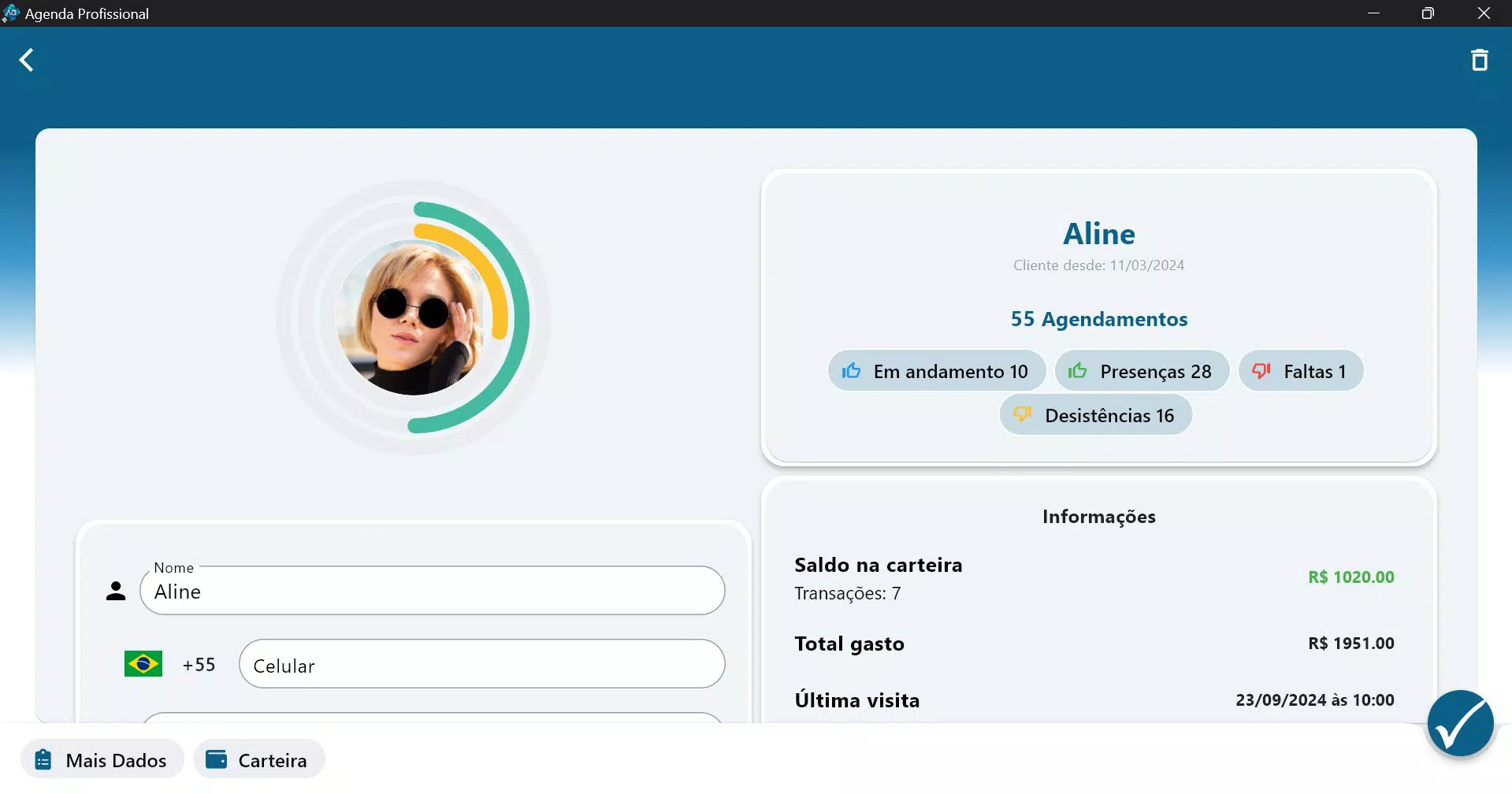
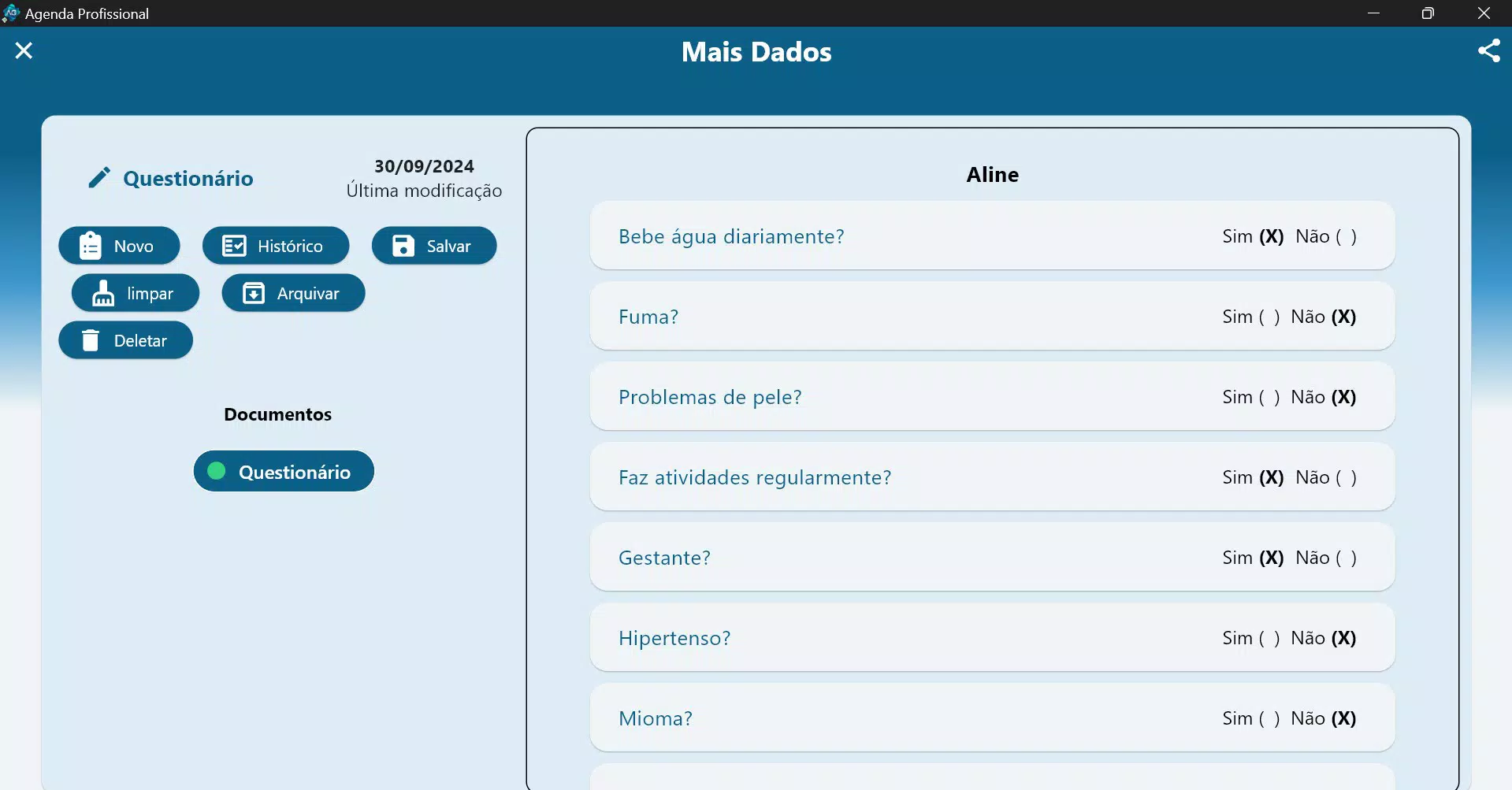
- Client Management Dashboard – Store client profiles, track attendance, view spending history, and flag clients who frequently miss appointments.
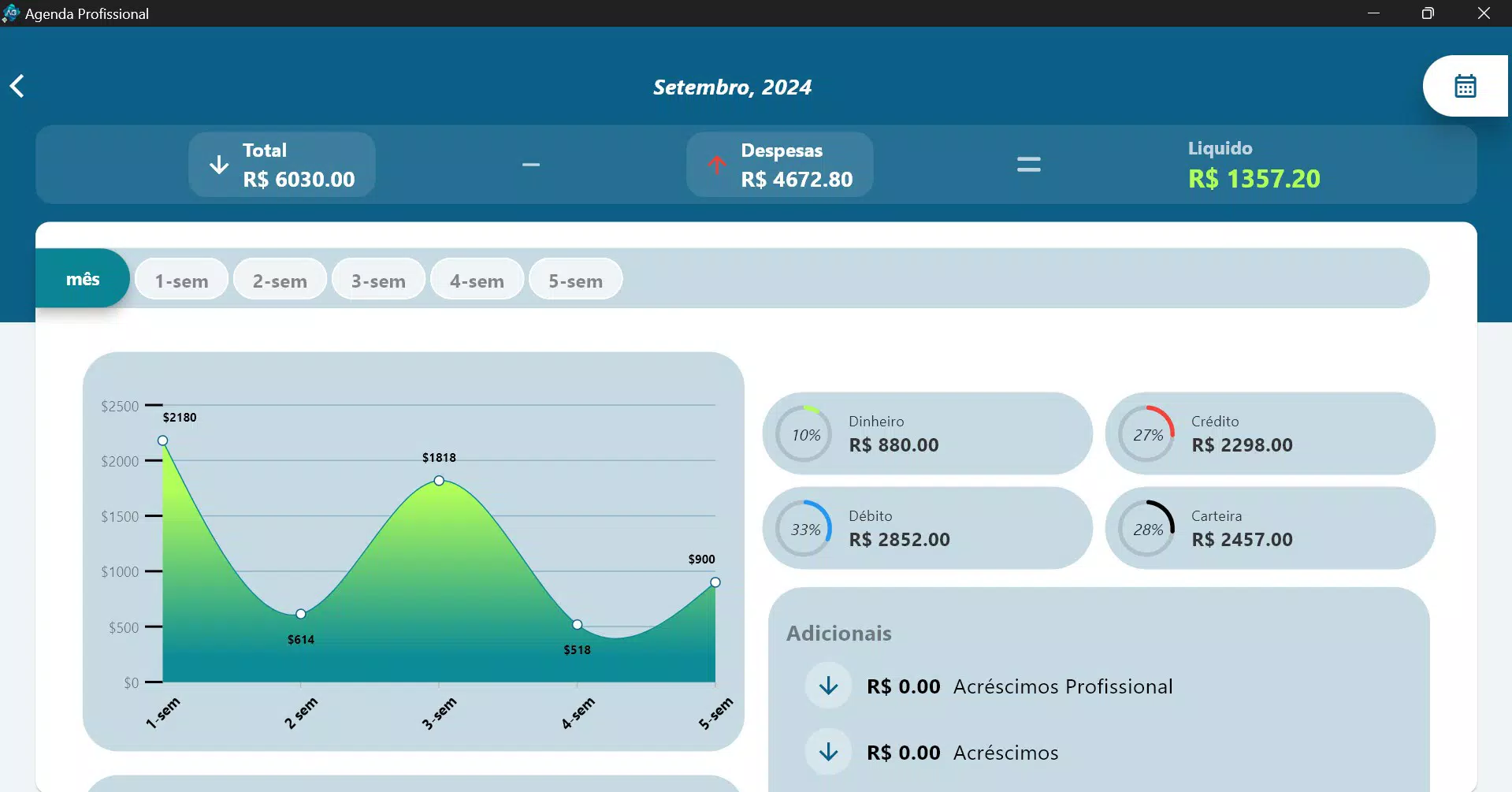
- Expense Tracking Module – Log business-related expenses and view financial summaries, aiding in budget planning and tax preparation.
- Automated Notifications – Receive alerts for new, modified, or canceled appointments; send reminders via WhatsApp for improved client follow-up.
- Client Wallet System – Allow clients to prepay for services, deduct costs as sessions occur, and monitor balances in real time.
For example, a freelance designer can use the client wallet to collect advance payments, automatically reduce balances after each deliverable, and avoid payment delays. Similarly, a wellness coach can use attendance tracking to identify patterns in client engagement and adjust outreach strategies accordingly. These features collectively support data-driven decision-making and foster stronger client relationships through transparency and reliability.
Interface, UX & Performance
The user interface of Professional Agenda appears to be designed with clarity and functionality in mind, prioritizing ease of navigation for professionals managing complex schedules. The layout likely follows a clean, card-based structure with intuitive icons and logical menu placement, enabling quick access to core functions such as scheduling, client profiles, and financial summaries.
Navigation is expected to be linear and consistent, allowing users to move seamlessly between sections without confusion. The app’s responsiveness is presumed to be strong across mid-to-high-end smartphones, though specific performance metrics were not disclosed. The developer did not list formal performance metrics, so real-world responsiveness may vary depending on device capabilities and network conditions.
Stability is a critical factor for scheduling tools, and while no user-reported crashes or bugs were mentioned, the app’s reliability under continuous use remains unverified. The absence of detailed system requirements suggests compatibility with a broad range of devices, but users should ensure their device meets general Android or iOS standards for smooth operation. Overall, the interface appears optimized for practical use, focusing on minimizing user effort during daily tasks.
Platform Compatibility & Technical Requirements
Professional Agenda is available on both Android and iOS platforms, supporting modern smartphone operating systems. The app has been released on October 22, 2024, and is currently available in its latest version, though specific version numbers were not disclosed. The file size is reported to be moderate, suitable for standard mobile storage, though exact dimensions were not provided.
Compatibility information was not fully disclosed, so users should verify that their device meets the minimum OS requirements. The developer did not specify minimum OS versions, making it difficult to confirm support for older devices. Similarly, no details were given about RAM, processor, or storage requirements. Despite this, the app is expected to function on devices with standard specifications for mobile productivity tools.
Pros and Cons
Pros
- Intuitive interface designed for efficient daily management of appointments and clients.
- 24/7 online scheduling reduces manual coordination and improves client satisfaction.
- Integrated client wallet system supports advance payments and debt tracking.
- Automated notifications via WhatsApp enhance communication and reduce no-shows.
- Expense tracking provides a clear financial overview for better business planning.
Cons
- Specific system requirements were not listed, limiting device compatibility assessment.
- No information was provided about data encryption or privacy policies.
- Free trial duration and renewal terms are not fully detailed in the available documentation.
- Availability of advanced reporting features was not confirmed.
- Integration with third-party calendar apps was not mentioned.
FAQ
Is Professional Agenda free to download?
Yes, the app offers a free 30-day trial. After the trial period, a monthly subscription of $3.80 is required to continue using the full suite of features.
Can I use Professional Agenda on both Android and iOS?
Yes, the app is available on both Android and iOS platforms. Specific compatibility details were not provided by the developer.
How secure is my client and financial data?
The developer did not disclose specific security measures or data encryption protocols. Users are advised to review privacy policies and consider data sensitivity when using the app.
What happens after the 30-day free trial ends?
After the trial, the app requires a monthly subscription of $3.80 to maintain access to all features. No automatic billing details were specified.
Can I cancel my subscription anytime?
Subscription cancellation policies were not disclosed. Users should check the app’s billing settings or contact the developer for details.
Final Thoughts
Professional Agenda presents a compelling solution for service-based professionals seeking to automate scheduling, improve client management, and maintain accurate financial records. Its blend of online booking, client tracking, and expense monitoring offers a holistic approach to running a streamlined operation. While some technical and privacy details remain unspecified, the app’s core functionality is well-aligned with the needs of modern freelancers and small business owners.
Those who value time efficiency, client transparency, and financial clarity will find significant value in this tool. The free trial allows for risk-free evaluation, making it accessible for users testing its suitability. With its focus on practical features and user-friendly design, Professional Agenda stands out as a reliable utility for managing professional workflows.
Download Professional Agenda now


